By using this site, you confirm you are 21+ and are purchasing Research Use Only materials. Not for human or animal use. Not for diagnostic or therapeutic purposes.
[xoo_wsc_cart]
Blog
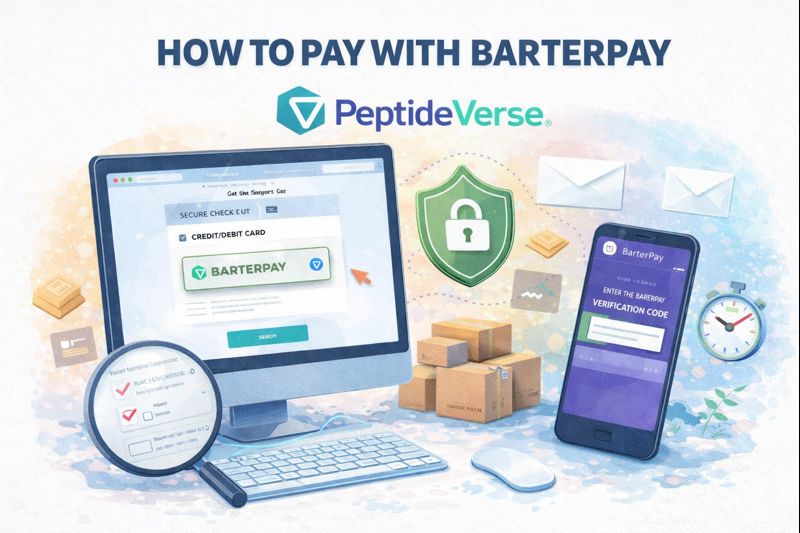
How to Pay with BarterPay
We know it might feel unusual to take an extra step when you’re used to simply entering your credit card at checkout. The reason we use BarterPay is simple: traditional credit card processors make it difficult to work with companies in the research peptide space — even when everything is 100% legal and compliant. BarterPay solves this by allowing us to securely accept credit card payments through their trusted platform.
All you need to do is verify your email one time — it’s quick, easy, and helps protect everyone from fraud. Once that’s done, you’ll be able to use your credit card just like you normally would future orders can be completed in just a couple of clicks.
Check out our step-by-step guide or watch our walkthrough video or below to see exactly how to get started.
Step By Step:
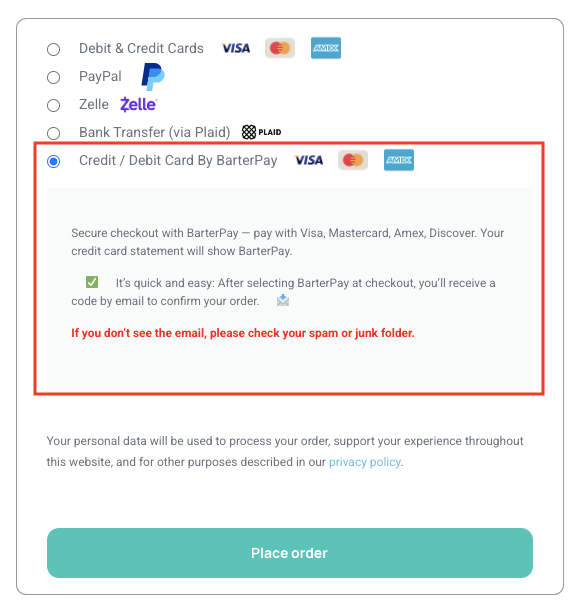
STEP 1: Select BarterPay at Checkout
On the checkout screen select “Credit/Debit Card By Barterpay”.
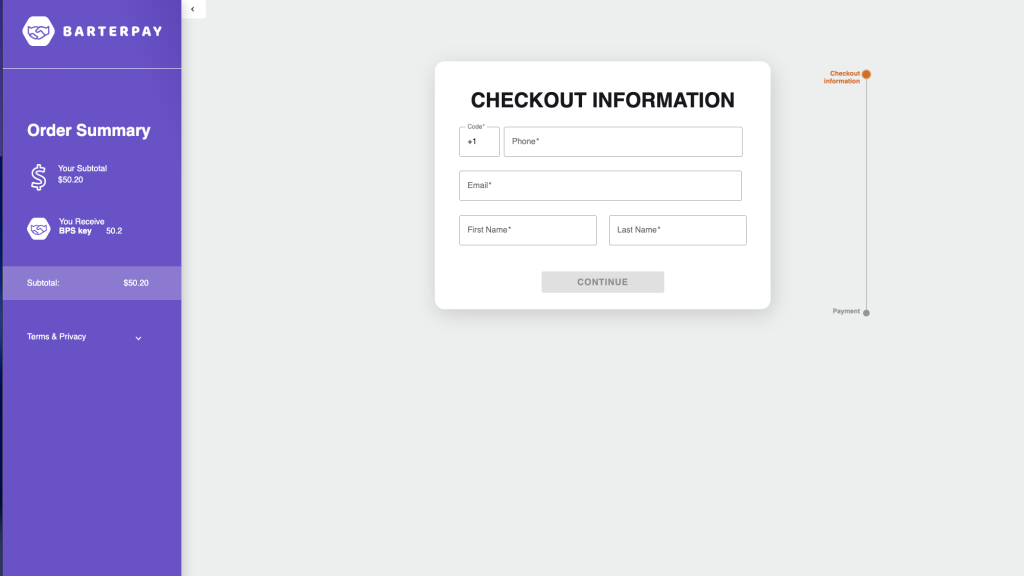
STEP 2: Verify Your Email
You will be automatically redirected to this Barterpay page to make a payment. You will be asked to verify your Email via verification code.
Enter the verification code from your email and click confirm.
If you need to change the number or email address for your account you can do so here by clicking “incorrect email?” or “incorrect phone?”
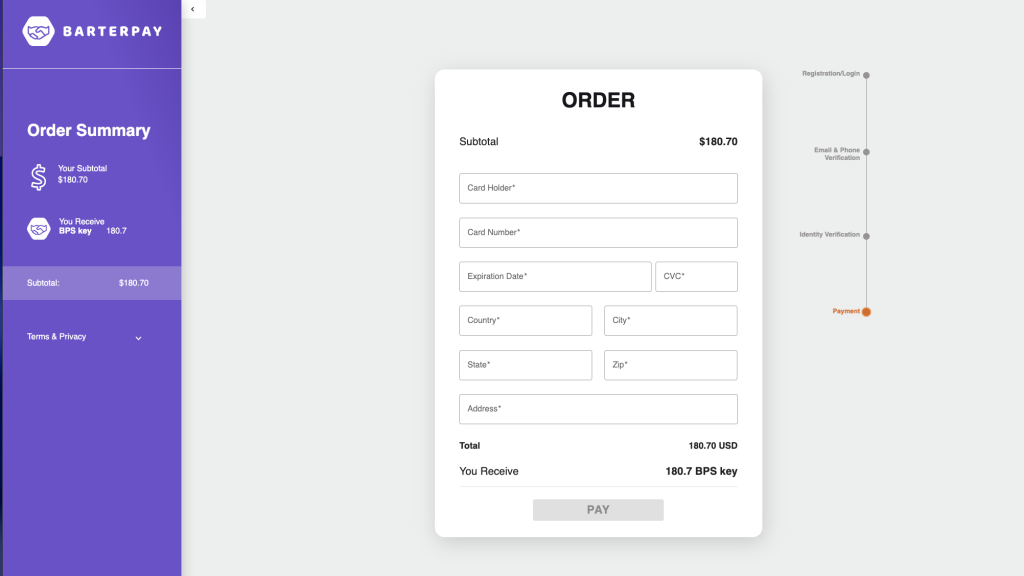
STEP 3: Complete Your Payment
Enter your card information and complete your payment.
Enter your card number and expiration date.
Enter your billing address.
Then click “Pay” to complete your payment.
Your payment is now completed.
You will receive a payment confirmation email from BarterPay and your order will ship within 48 hours.
If you have any questions or would like additional support please email us any time at info@verseresearch.com.